FishEye International, a non-profit focused on countering illegal, unreported, and unregulated (IUU) fishing, has been given access to an international finance corporation’s database on fishing related companies. They have transformed the database into a knowledge graph. It includes information about companies, owners, workers, and financial status. FishEye is aiming to use this graph to identify anomalies that could indicate a company is involved in IUU.
Task
Develop a visual analytics process to find similar businesses and group them. This analysis should focus on a business’s most important features and present those features clearly to the user. Limit your response to 400 words and 5 images.
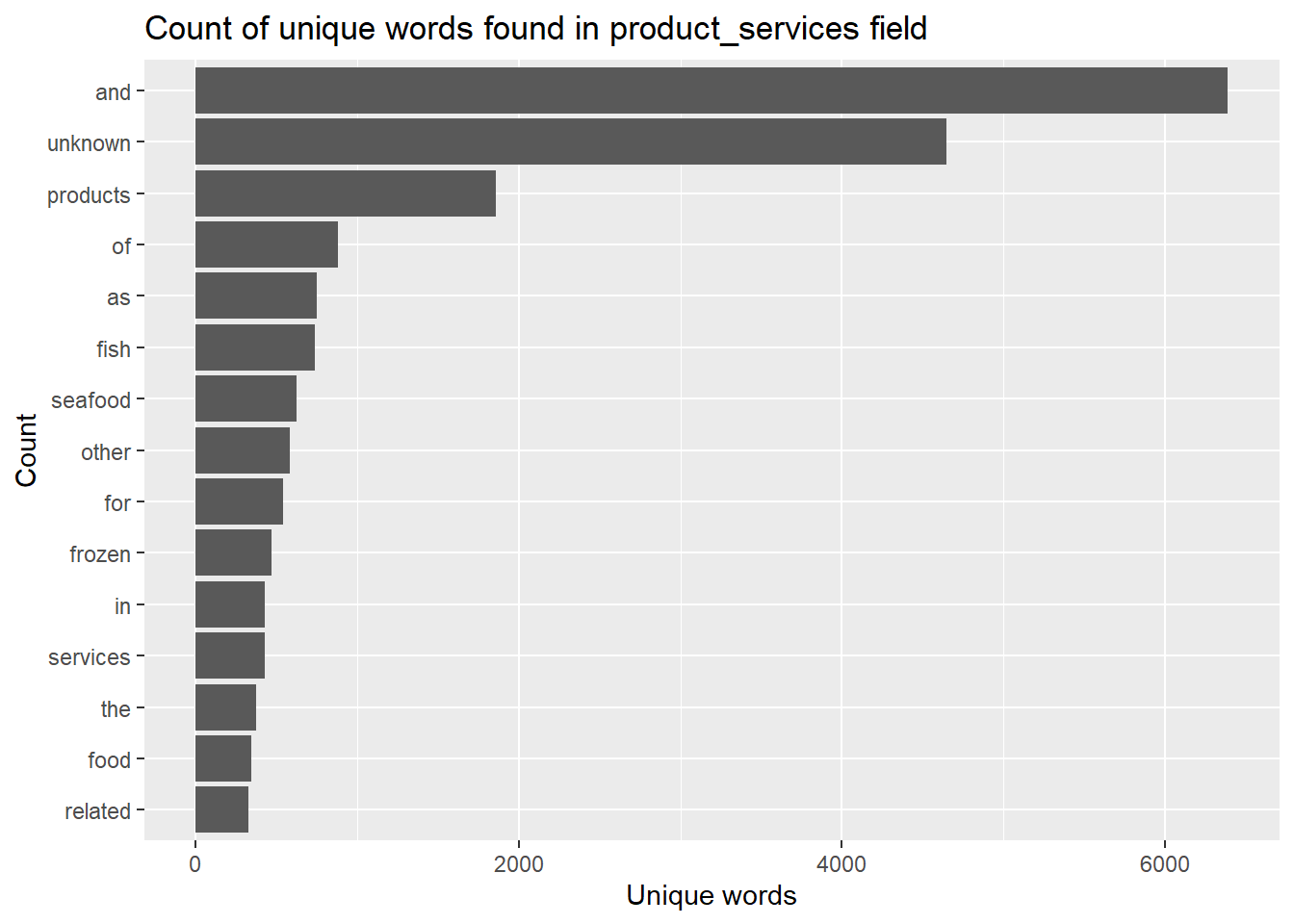
token_nodes %>%count(word,sort =TRUE) %>%top_n(15) %>%# reordered according to the values in the n variablemutate(word =reorder(word,n)) %>%ggplot(aes(x=word,y=n))+geom_col()+xlab(NULL)+coord_flip()+labs(x ="Count",y ="Unique words",title ="Count of unique words found in product_services field")
Many of the frequent words are meaningless, such as ‘and’, so need to remove these words.
Removing stop words
Use stop_words in the tidytext package to clean up stop words.
Load the stop_words data included with tidytext.
Then anti_join() of dplyr package is used to remove all stop words from the analysis, only the rows from token_nodesthat do not have a match in stop_words are retained in the result.
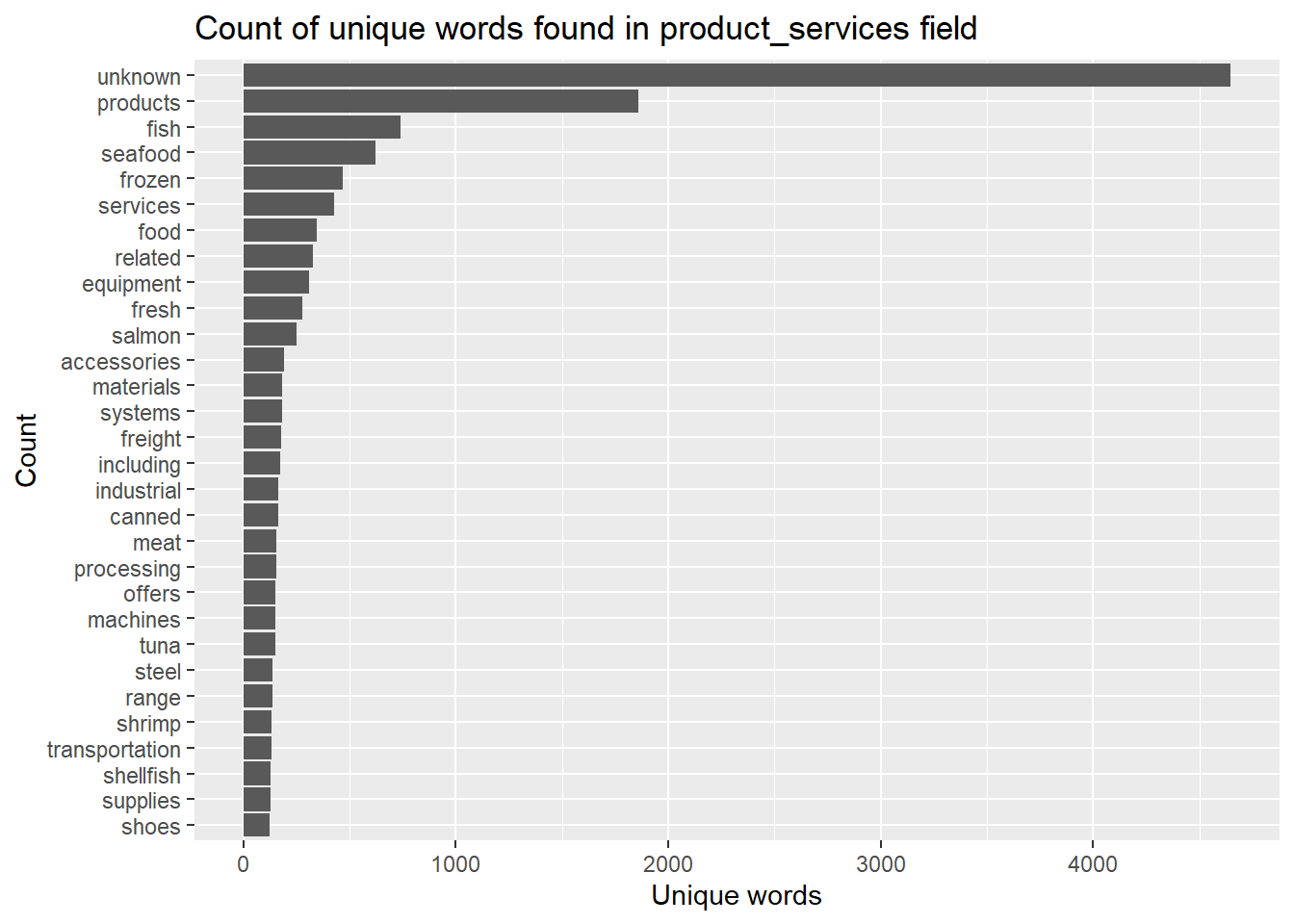
stopword_removed %>%count(word, sort =TRUE) %>%top_n(30) %>%mutate(word =reorder(word,n)) %>%ggplot(aes(x=word,y=n))+geom_col()+xlab(NULL)+coord_flip()+labs(x ="Count",y ="Unique words",title ="Count of unique words found in product_services field")
There are still some meaningless words, including “unknown, related, including, range”, so extend the stopword dataframe and remove these words.
Show the code
extended_stopwords <- stop_words %>%bind_rows(data.frame(word =c('unknown','related','including','range','products')))stopword_removed_2 <- token_nodes %>%anti_join(extended_stopwords)#remove s at the end of each wordstopword_removed_2$word <-gsub("(.*)s$", '\\1', stopword_removed_2$word)
Show the code
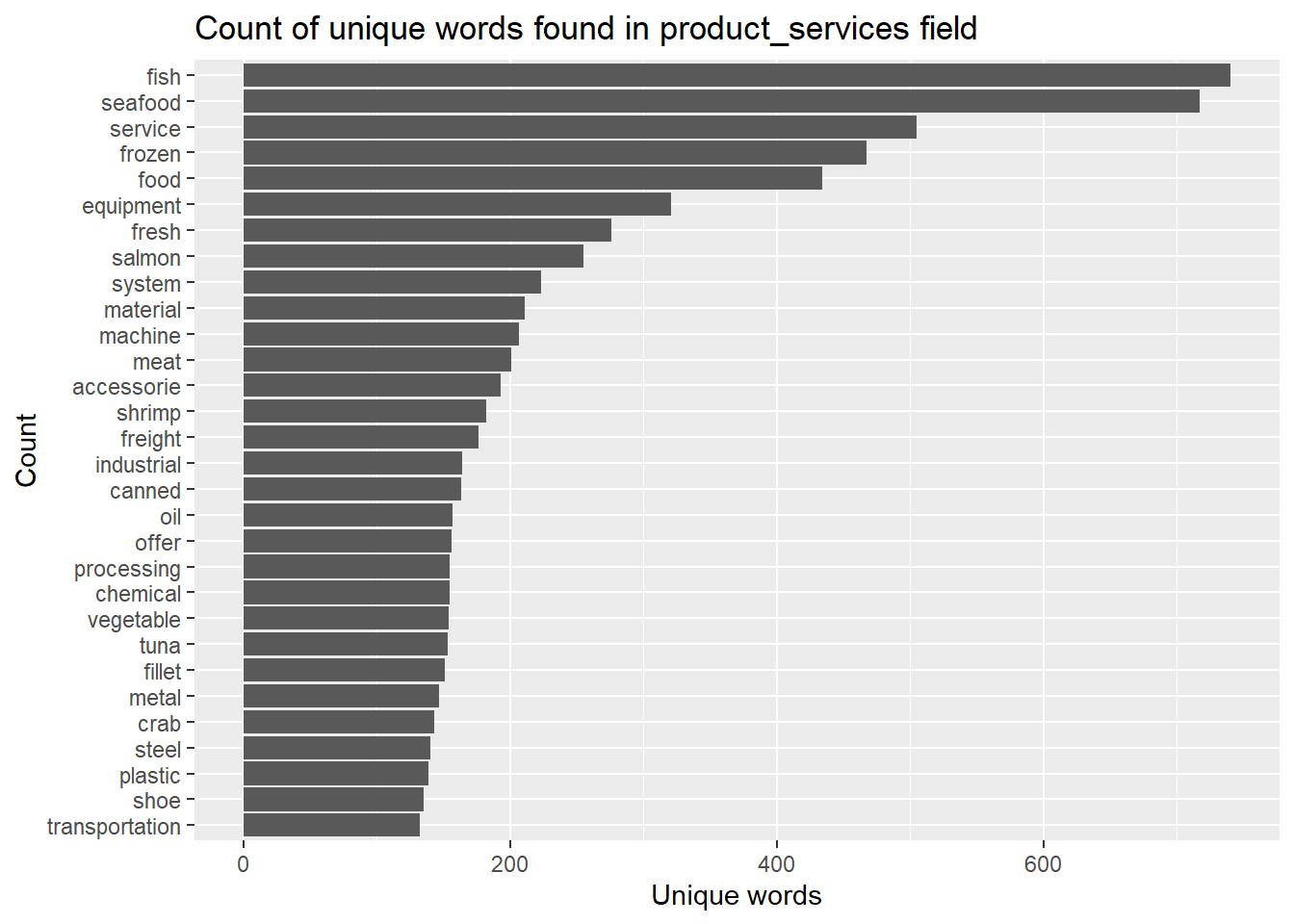
stopword_removed_2 %>%count(word, sort =TRUE) %>%top_n(30) %>%mutate(word =reorder(word,n)) %>%ggplot(aes(x=word,y=n))+geom_col()+xlab(NULL)+coord_flip()+labs(x ="Count",y ="Unique words",title ="Count of unique words found in product_services field")
Topic modelling
Create a DTM(document term matrix) to capture the frequency of words across dataframe, then filtering terms based on frequency.
Show the code
# compute document term matrix with terms >= minimumFrequencyminimumFrequency <-5DTM <-DocumentTermMatrix(stopword_removed_2$word,control =list(bounds =list(global =c(minimumFrequency, Inf))))dim(DTM)
[1] 43445 1632
Show the code
# exclude empty rows in DTMrow_sums <- slam::row_sums(DTM)>0DTM <- DTM[row_sums,]
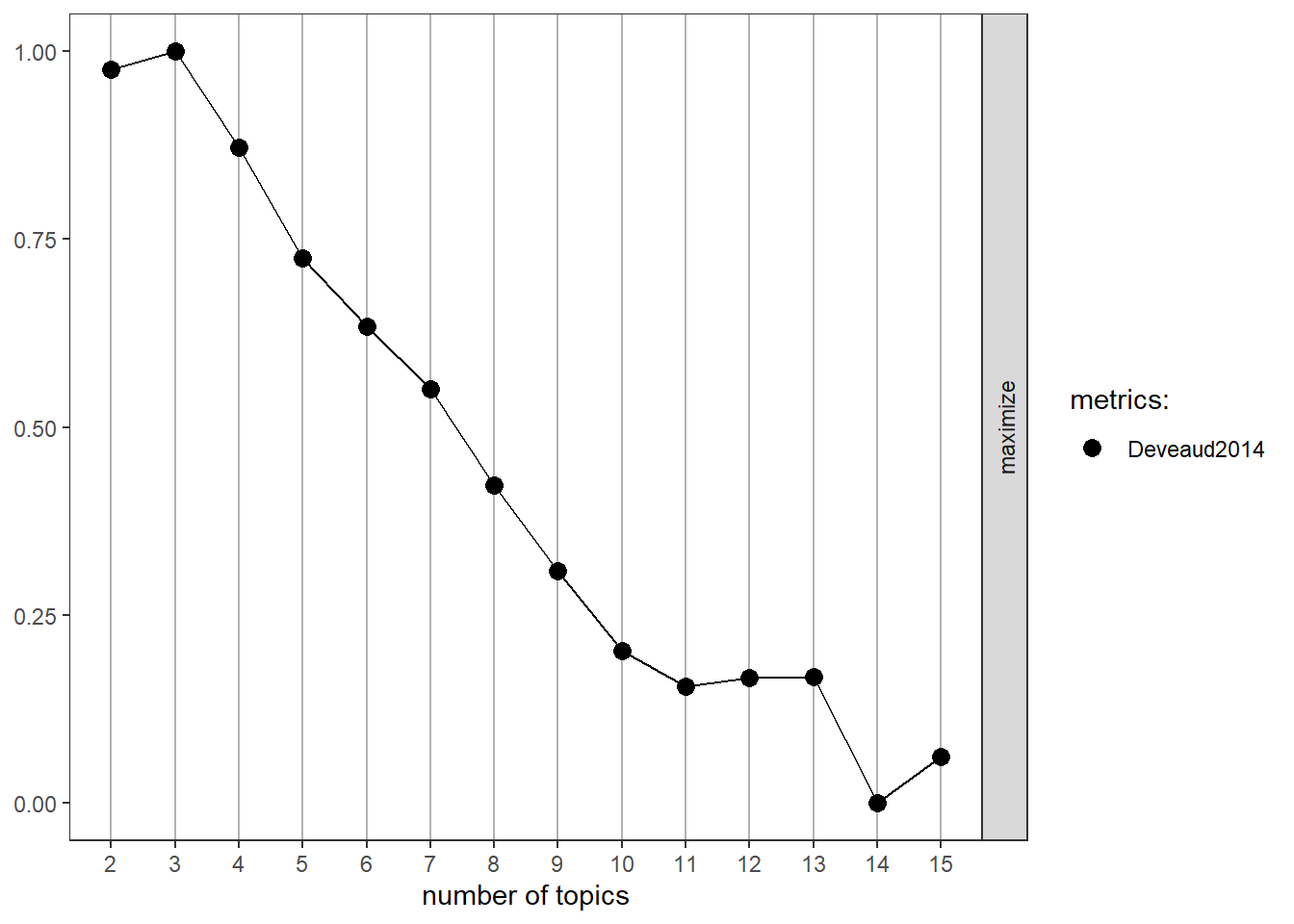
To determine the optimal number of topics, using the “Deveaud2014” metric for topic coherence, select 3 topics that yields a higher value, indicating a stronger degree of similarity between words within each topic.
Show the code
result <- ldatuning::FindTopicsNumber( DTM,topics =seq(from =2, to =15, by =1),metrics ="Deveaud2014",method ='Gibbs',control =list(seed =1234),verbose =TRUE)
fit models... done.
calculate metrics:
  Deveaud2014... done.
Show the code
FindTopicsNumber_plot(result)
Build topic model with number of four, with ‘Gibbs’ sampling method, and with verbose = 100 to display the details of iteration progress.
Show the code
k <-3set.seed(1234)topicmodel <-LDA(DTM,k,method ='Gibbs',control =list(iter =500, verbose =100))
K = 3; V = 1632; M = 35285
Sampling 500 iterations!
Iteration 100 ...
Iteration 200 ...
Iteration 300 ...
Iteration 400 ...
Iteration 500 ...
Gibbs sampling completed!
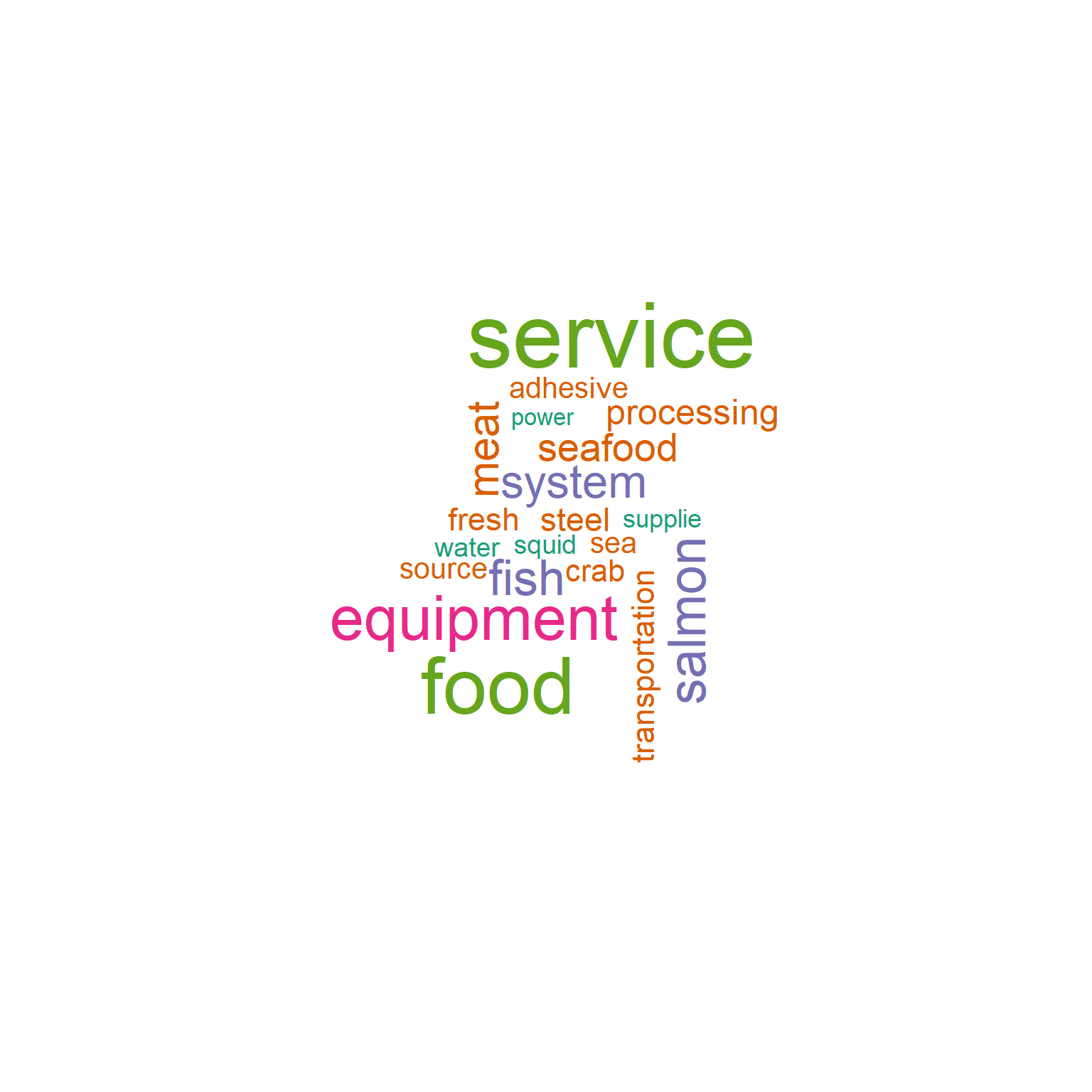
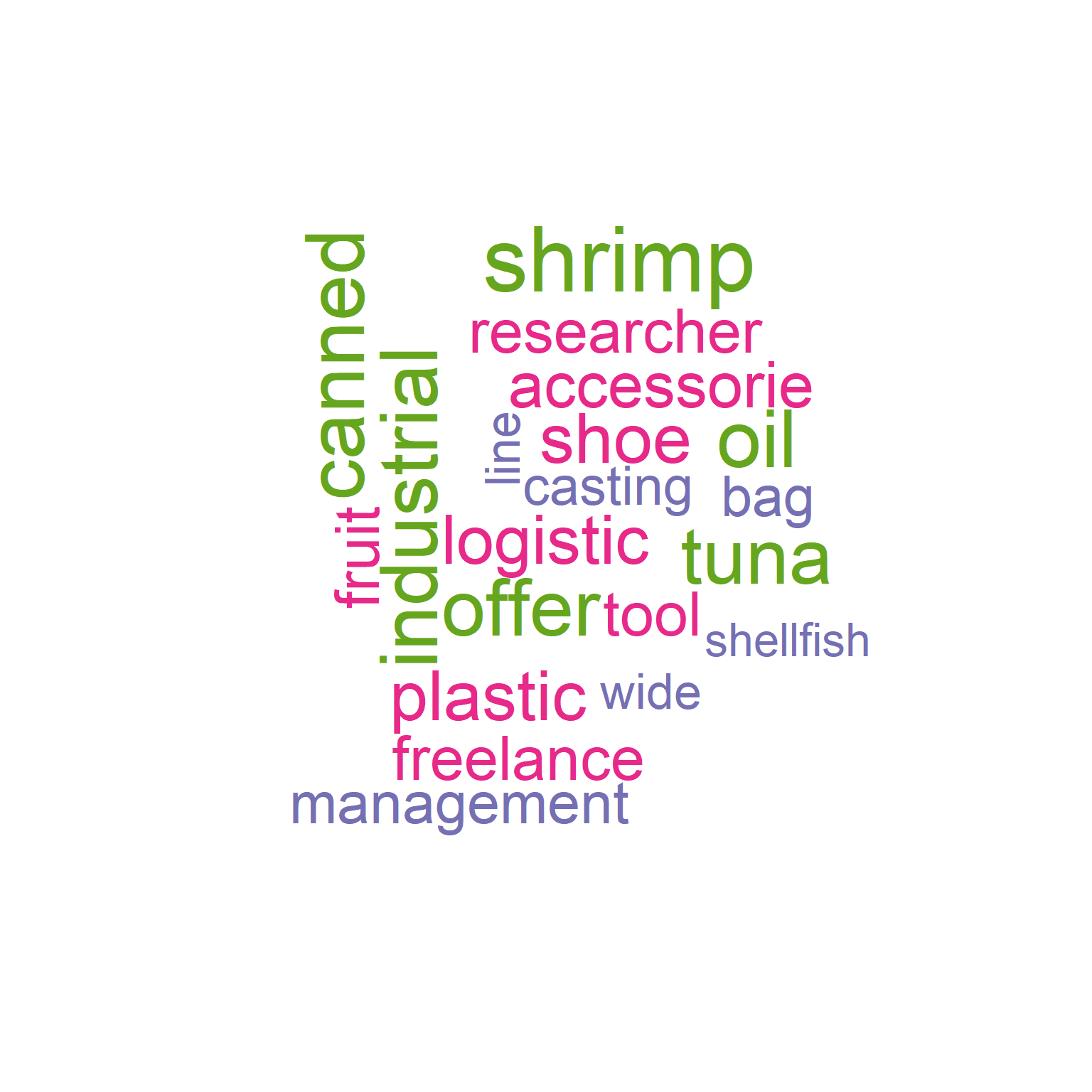
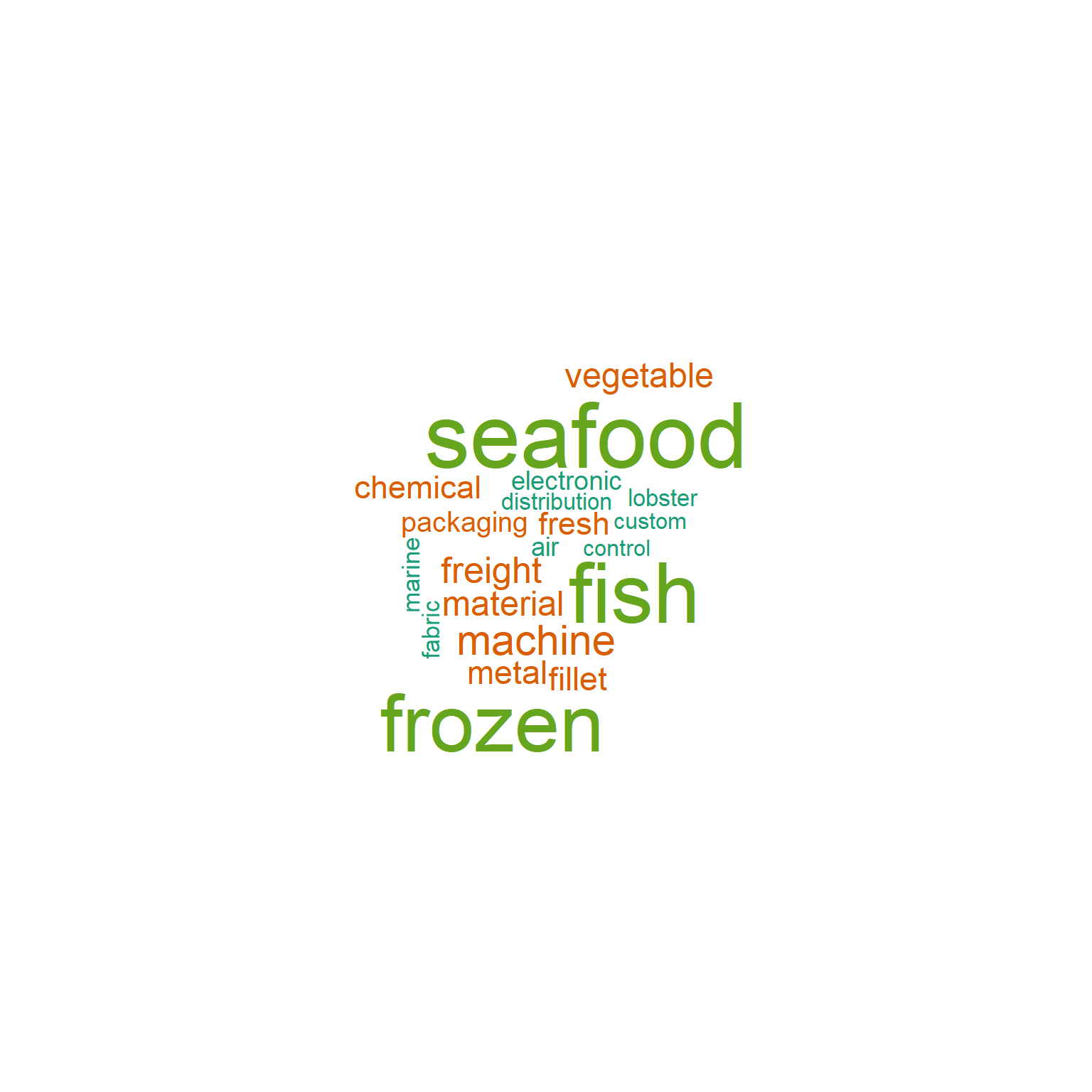
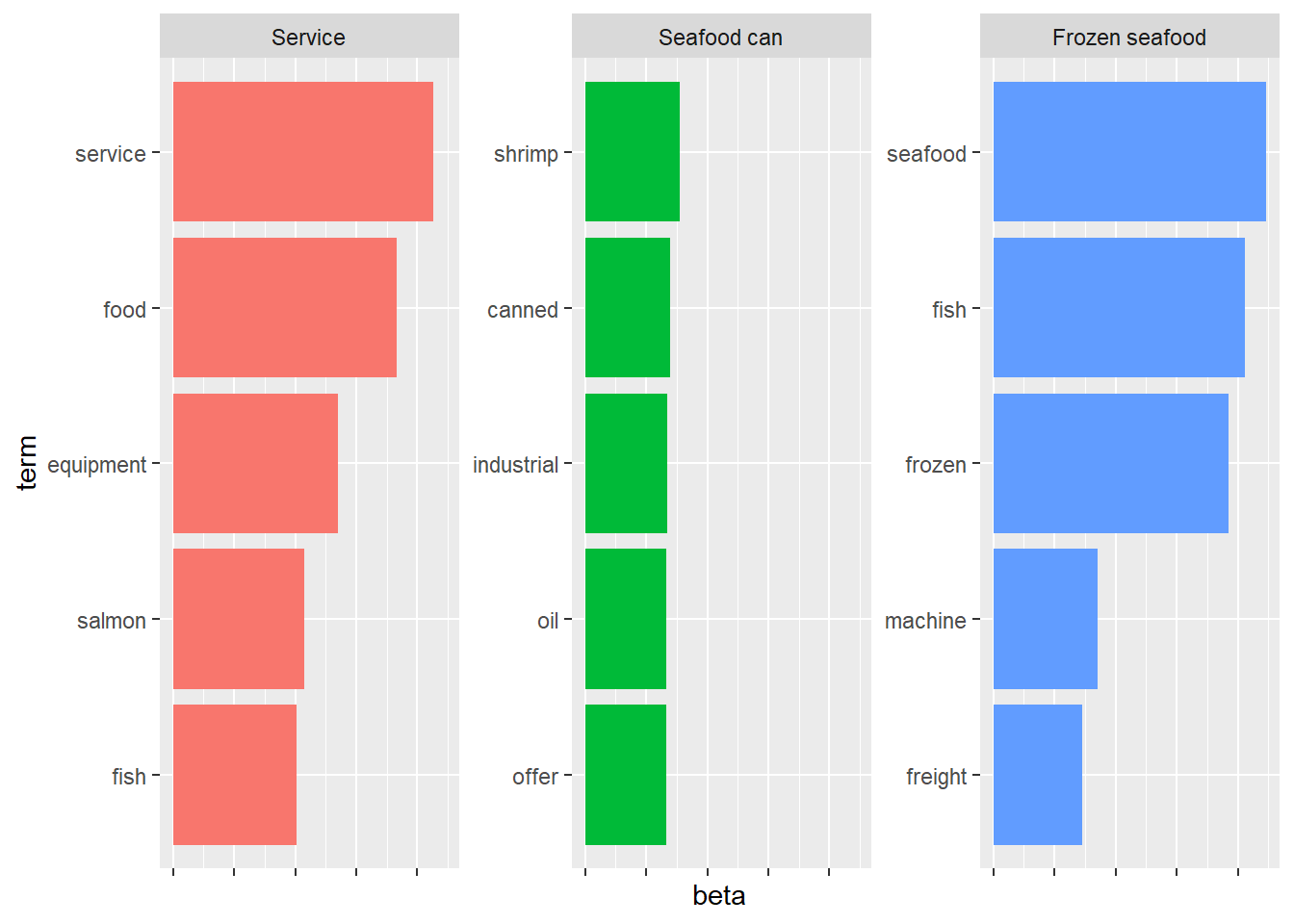
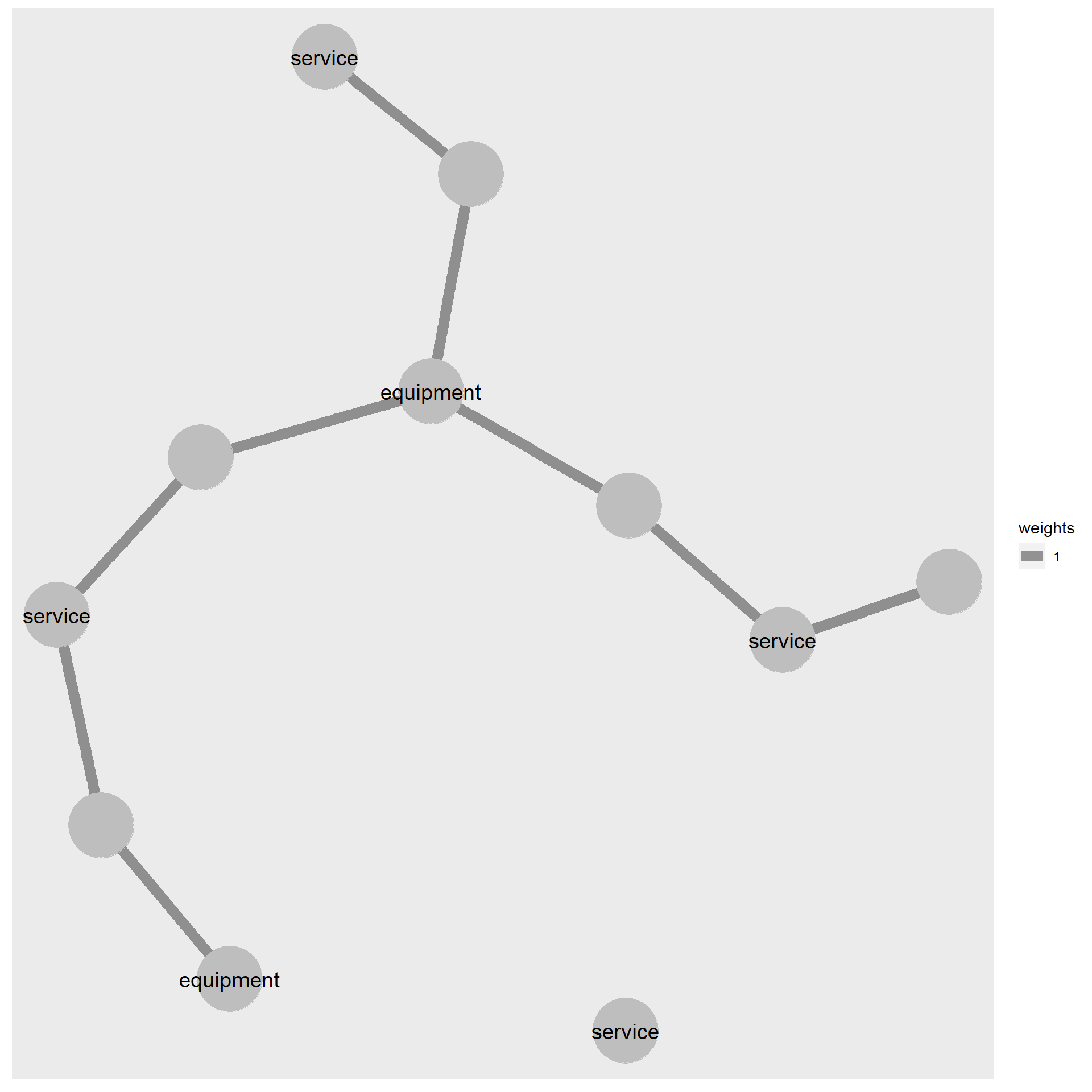
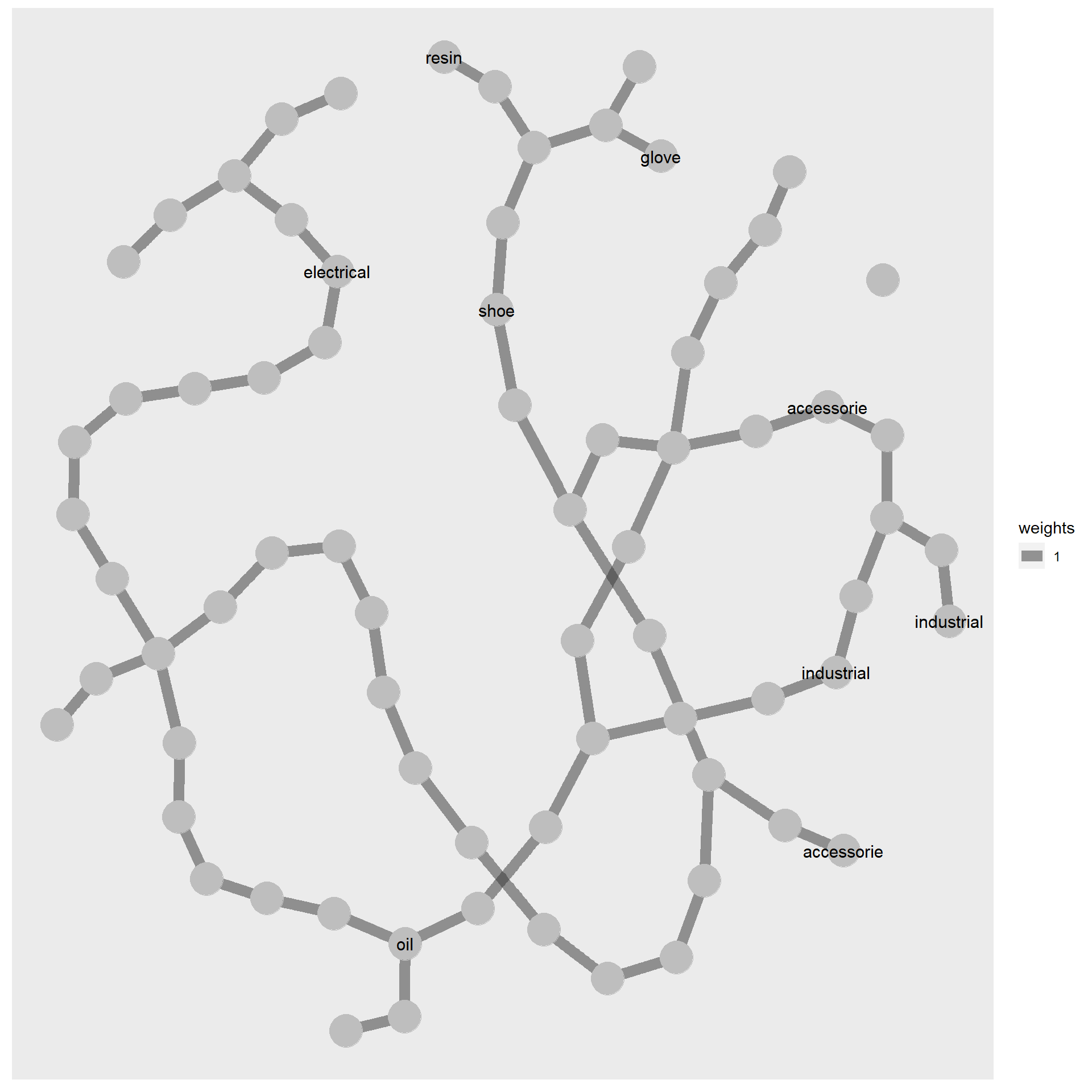
From the word cloud and feature bar plot, we can see the important features within similar company group.
Show the code
# see the probability of each word belonging to each topictopicmodel_tidy <-tidy(topicmodel,matrix ='beta')top_terms <- topicmodel_tidy %>%group_by(topic) %>%top_n(20, beta) %>%arrange(topic, desc(beta))# Create a separate word cloud for each topicfor (i in1:3) { topic_words <-subset(top_terms, topic == i)wordcloud(words = topic_words$term,freq = topic_words$beta,colors =brewer.pal(5, 'Dark2') )}
Based on the top feature, categorizing the groups of companies into the company type shown as below.
Show the code
# see the probability of each word belonging to each topictopicmodel_tidy <-tidy(topicmodel,matrix ='beta')# find top 5 words with maximum probability in each topictop_terms <- topicmodel_tidy %>%group_by(topic) %>%slice_max(beta, n =5) %>%arrange(topic, -beta)# visulize by ggplottop_terms %>%mutate(term =reorder_within(term,beta,topic)) %>%ggplot(aes(beta, term, fill =factor(topic)))+geom_col(show.legend =FALSE)+facet_wrap(~topic, scales ="free_y",labeller =labeller(topic =c("1"="Service", "2"="Seafood can", "3"="Frozen seafood")) )+scale_y_reordered()+theme(axis.text.x =element_blank())
Network visual
Build tidygraph
Derive the highest beta for each term in topic modelling dataframe
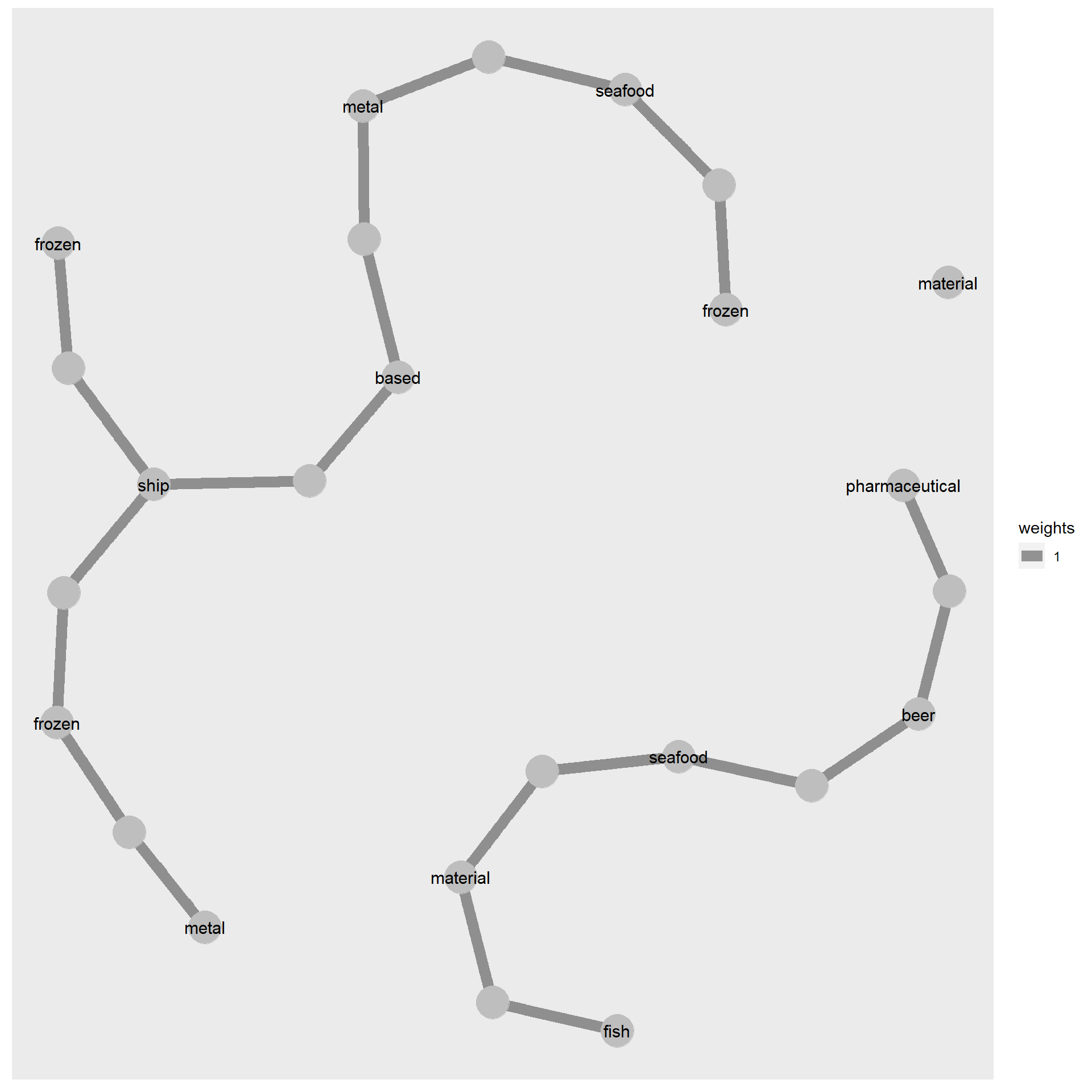
For nodes with high betweenness centrality in topic 3, it is expected to see a majority of them being related to frozen/seafood and fish. However, there are some companies with unrelated features such as pharmaceutical and metal that have unexpectedly high betweenness centrality.